Viewing and managing muted alarms
Viewing muted alarms: You can easily identify which alarms are currently muted through the CloudWatch console. In both the alarms list view and individual alarm detail pages, a mute icon appears next to alarms whose actions are currently being muted by active mute rules. This visual indicator helps you quickly understand which alarms actions are being currently muted until the mute window expires.

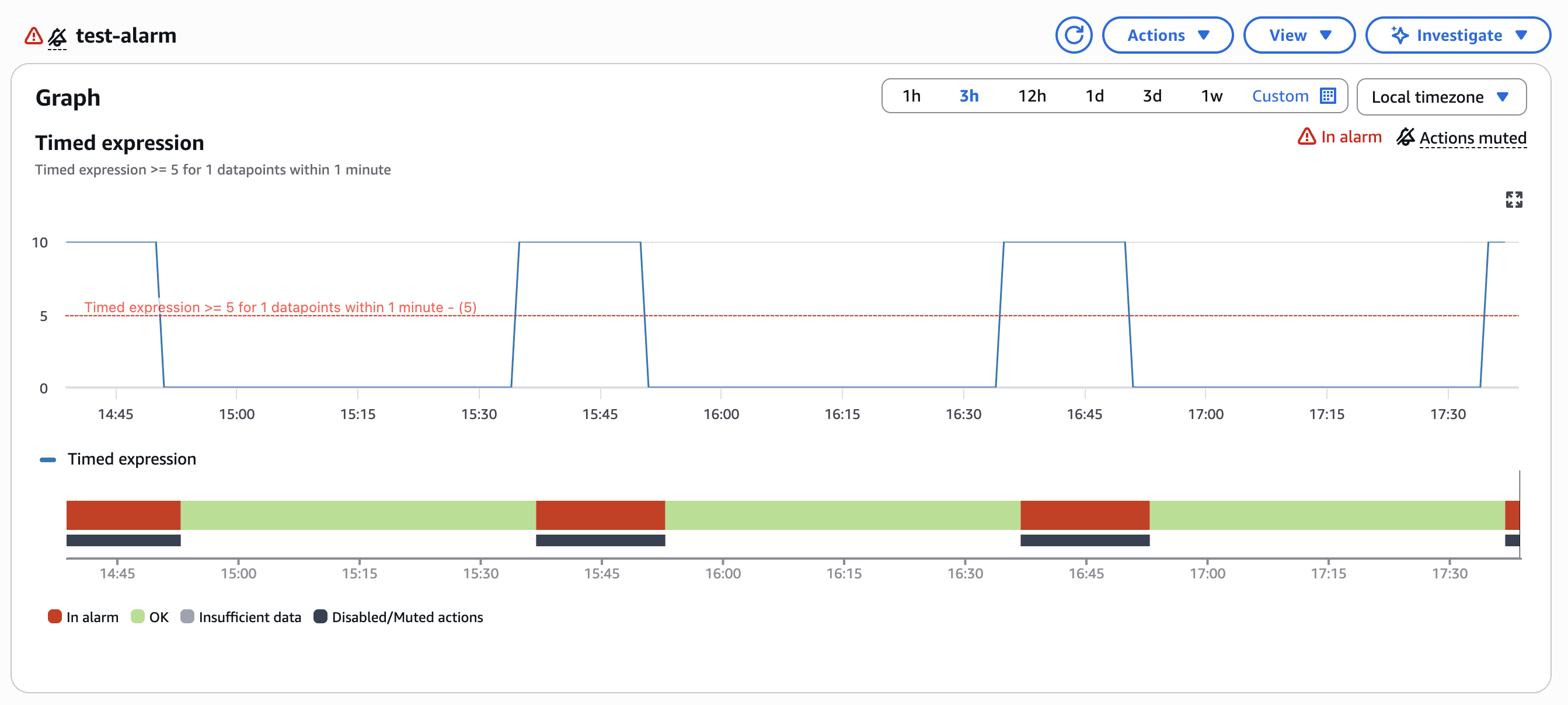
Alarms timeline: The CloudWatch alarms console provides a comprehensive timeline view that shows when your alarm actions were muted. This timeline displays mute periods alongside alarm state changes, giving you a complete historical view of both alarm behaviour and muting activity. You can use this timeline to analyze the effectiveness of your mute rules and understand how they correlate with your operational activities.
Programmatically checking alarm mute status: To programmatically determine if an alarm is currently muted, you can use the ListAlarmMuteRules API with the alarm name as a filter criteria. This API returns all active mute rules that are affecting the specified alarm, allowing you to integrate mute status checks into your automation workflows, monitoring dashboards, or operational tools.
For example: To check if an alarm named "HighCPUAlarm" is currently muted, call the ListAlarmMuteRules API with the filter parameter set to the alarm name. The response will include all mute rules targeting that alarm, along with their current status (SCHEDULED, ACTIVE, or EXPIRED).
Alarm history: Whenever alarm actions are muted due to an active mute rule, CloudWatch writes a history entry to the alarm's history log. This provides a complete audit trail of when your alarms were muted, helping you understand the timeline of muting events and correlate them with operational activities. You can view this history through the CloudWatch console or retrieve it programmatically using the DescribeAlarmHistory API.
Note
-
When multiple alarm mute rules are active simultaneously, the most recently created mute rule name is written to the alarm history along with the total number of other active mute rules.
-
The timeline displays mute periods only when an alarm state transitions during an active mute window and actions were prevented from executing.
Tip
You can manage alarm mute rules programmatically using the CloudWatch API. For more information, see PutAlarmMuteRule, GetAlarmMuteRule, ListAlarmMuteRules, and DeleteAlarmMuteRule.