# Configure cross-account access to Amazon Glue data catalogs
You can use Athena's cross-account Amazon Glue catalog feature to register an Amazon Glue catalog from an account other than your own. After you configure the required IAM permissions for Amazon Glue and register the catalog as an Athena [DataCatalog](https://docs.amazonaws.cn/athena/latest/APIReference/API_DataCatalog.html) resource, you can use Athena to run cross-account queries. For information about using the Athena console to register a catalog from another account, see [Register a Data Catalog from another account](data-sources-glue-cross-account.md).
For more information about cross-account access in Amazon Glue, see [Granting cross-account access](https://docs.amazonaws.cn/glue/latest/dg/cross-account-access.html) in the *Amazon Glue Developer Guide*.
## Before you start
Because this feature uses existing Athena `DataCatalog` resource APIs and functionality to enable cross-account access, we recommend that you read the following resources before you start:
+ [Connect to data sources](work-with-data-stores.md) - Contains topics on using Athena with Amazon Glue, Hive, or Lambda data catalog sources.
+ [Data Catalog example policies](datacatalogs-example-policies.md) - Shows how to write policies that control access to data catalogs.
+ [Use the Amazon CLI with Hive metastores](datastores-hive-cli.md) - Shows how to use the Amazon CLI with Hive metastores, but contains use cases applicable to other data sources.
## Considerations and limitations
Currently, Athena cross-account Amazon Glue catalog access has the following limitations:
+ The feature is available only in Amazon Web Services Regions where Athena engine version 2 or later is supported. For information about Athena engine versions, see [Athena engine versioning](engine-versions.md). To upgrade the engine version for a workgroup, see [Change Athena engine versions](engine-versions-changing.md).
+ When you register another account's Amazon Glue Data Catalog in your account, you create a regional `DataCatalog` resource that is linked to the other account's data in that particular Region only.
+ Currently, `CREATE VIEW` statements that include a cross-account Amazon Glue catalog are not supported.
+ Catalogs encrypted using Amazon managed keys cannot be queried across accounts. For catalogs that you want to query across accounts, use customer managed keys (`KMS_CMK`) instead. For information about the differences between customer managed keys and Amazon managed keys, see [Customer keys and Amazon keys](https://docs.amazonaws.cn/kms/latest/developerguide/concepts.html#key-mgmt ) in the *Amazon Key Management Service Developer Guide*.
## Get started
In the following scenario, the "borrower" account (666666666666) wants to run a `SELECT` query that refers to the Amazon Glue catalog that belongs to the "owner" account (999999999999), as in the following example:
```
SELECT * FROM ownerCatalog.tpch1000.customer
```
In the following procedure, Steps 1a and 1b show how to give the borrower account access to the owner account's Amazon Glue resources, from both the borrower and owner's side. The example grants access to the database `tpch1000` and the table `customer`. Change these example names to fit your requirements.
### Step 1a: Create a borrower role with a policy to access the owner's Amazon Glue resources
To create borrower account role with a policy to access to the owner account's Amazon Glue resources, you can use the Amazon Identity and Access Management (IAM) console or the [IAM API](https://docs.amazonaws.cn/IAM/latest/APIReference/API_Operations.html). The following procedures use the IAM console.
**To create a borrower role and policy to access the owner account's Amazon Glue resources**
1. Sign in to the IAM console at [https://console.amazonaws.cn/iam/](https://console.amazonaws.cn/iam/) from the borrower account.
1. In the navigation pane, expand **Access management**, and then choose **Policies**.
1. Choose **Create policy**.
1. For **Policy editor**, choose **JSON**.
1. In the policy editor, enter the following policy, and then modify it according to your requirements:
------
#### [ JSON ]
****
```
{
"Version":"2012-10-17",
"Statement": [
{
"Effect": "Allow",
"Action": "glue:*",
"Resource": [
"arn:aws-cn:glue:{{us-east-1}}:{{999999999999}}:catalog",
"arn:aws-cn:glue:{{us-east-1}}:{{999999999999}}:database/{{tpch1000}}",
"arn:aws-cn:glue:{{us-east-1}}:{{999999999999}}:table/{{tpch1000}}/{{customer}}"
]
}
]
}
```
------
1. Choose **Next**.
1. On the **Review and create** page, for **Policy name**, enter a name for the policy (for example, **CrossGluePolicyForBorrowerRole**).
1. Choose **Create policy**.
1. In the navigation pane, choose **Roles**.
1. Choose **Create role**.
1. On the **Select trusted entity** page, choose **Amazon Web Services account**, and then choose **Next**.
1. On the **Add permissions** page, enter the name of the policy that you created into the search box (for example, **CrossGluePolicyForBorrowerRole**).
1. Select the check box next to the policy name, and then choose **Next**.
1. On the **Name, review, and create** page, for **Role name**, enter a name for the role (for example, **CrossGlueBorrowerRole**).
1. Choose **Create role**.
### Step 1b: Create an owner policy to grant Amazon Glue access to the borrower
To grant Amazon Glue access from the owner account (999999999999) to the borrower's role, you can use the Amazon Glue console or the Amazon Glue [PutResourcePolicy](https://docs.amazonaws.cn/glue/latest/webapi/API_PutResourcePolicy.html) API operation. The following procedure uses the Amazon Glue console.
**To grant Amazon Glue access to the borrower account from the owner**
1. Sign in to the Amazon Glue console at [https://console.amazonaws.cn/glue/](https://console.amazonaws.cn/glue/) from the owner account.
1. In the navigation pane, expand **Data Catalog**, and then choose **Catalog settings**.
1. In the **Permissions** box, enter a policy like the following. For {{rolename}}, enter the role that the borrower created in Step 1a (for example, **CrossGlueBorrowerRole**). If you want to increase the permission scope, you can use the wild card character `*` for both the database and table resource types.
------
#### [ JSON ]
****
```
{
"Version":"2012-10-17",
"Statement": [
{
"Effect": "Allow",
"Principal": {
"AWS": [
"arn:aws-cn:iam::{{666666666666}}:user/{{username}}",
"arn:aws-cn:iam::{{666666666666}}:role/{{rolename}}"
]
},
"Action": "glue:*",
"Resource": [
"arn:aws-cn:glue:{{us-east-1}}:{{999999999999}}:catalog",
"arn:aws-cn:glue:{{us-east-1}}:{{999999999999}}:database/{{tpch1000}}",
"arn:aws-cn:glue:{{us-east-1}}:{{999999999999}}:table/{{tpch1000}}/{{customer}}"
]
}
]
}
```
------
After you finish, we recommend that you use the [Amazon Glue API](https://docs.amazonaws.cn/glue/latest/dg/aws-glue-api.html) to make some test cross-account calls to confirm that permissions are configured as you expect.
### Step 2: The borrower registers the Amazon Glue Data Catalog that belongs to the owner account
The following procedure shows you how to use the Athena console to configure the Amazon Glue Data Catalog in the owner Amazon Web Services account as a data source. For information about using API operations instead of the console to register the catalog, see [(Optional) Use the API to register an Athena Data Catalog that belongs to the owner account](#security-iam-cross-account-glue-catalog-access-step-2-api).
**To register an Amazon Glue Data Catalog belonging to another account**
1. Open the Athena console at [https://console.amazonaws.cn/athena/](https://console.amazonaws.cn/athena/home).
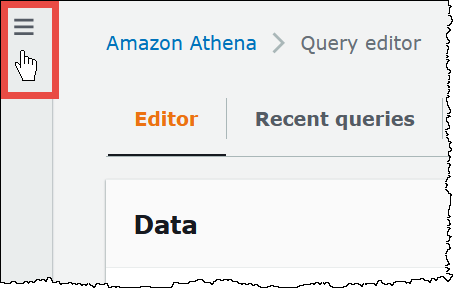
1. If the console navigation pane is not visible, choose the expansion menu on the left.
1. Expand **Administration**, and then choose **Data sources**.
1. On the upper right, choose **Create data source**.
1. On the **Choose a data source** page, for **Data sources**, select **S3 - Amazon Glue Data Catalog**, and then choose **Next**.
1. On the **Enter data source details** page, in the **Amazon Glue Data Catalog** section, for **Choose an Amazon Glue Data Catalog**, choose **Amazon Glue Data Catalog in another account**.
1. For **Data source details**, enter the following information:
+ **Data source name** – Enter the name that you want to use in your SQL queries to refer to the data catalog in the other account.
+ **Description** – (Optional) Enter a description of the data catalog in the other account.
+ **Catalog ID** – Enter the 12-digit Amazon Web Services account ID of the account to which the data catalog belongs. The Amazon Web Services account ID is the catalog ID.
1. (Optional) Expand **Tags**, and then enter key-value pairs that you want to associate with the data source. For more information about tags, see [Tag Athena resources](tags.md).
1. Choose **Next**.
1. On the **Review and create** page, review the information that you provided, and then choose **Create data source**. The **Data source details** page lists the databases and tags for the data catalog that you registered.
1. Choose **Data sources and catalogs**. The data catalog that you registered is listed in the **Data source name** column.
1. To view or edit information about the data catalog, choose the catalog, and then choose **Actions**, **Edit**.
1. To delete the new data catalog, choose the catalog, and then choose **Actions**, **Delete**.
### Step 3: The borrower submits a query
The borrower submits a query that references the catalog using the {{catalog}}.{{database}}.{{table}} syntax, as in the following example:
```
SELECT * FROM ownerCatalog.tpch1000.customer
```
Instead of using the fully qualified syntax, the borrower can also specify the catalog contextually by passing it in through the [QueryExecutionContext](https://docs.amazonaws.cn/athena/latest/APIReference/API_QueryExecutionContext.html).
## (Optional) Configure additional Amazon S3 permissions
+ If the borrower account uses an Athena query to write new data to a table in the owner account, the owner will not automatically have access to this data in Amazon S3, even though the table exists in the owner's account. This is because the borrower is the object owner of the information in Amazon S3 unless otherwise configured. To grant the owner access to the data, set the permissions on the objects accordingly as an additional step.
+ Certain cross-account DDL operations like [MSCK REPAIR TABLE](msck-repair-table.md) require Amazon S3 permissions. For example, if the borrower account is performing a cross-account `MSCK REPAIR` operation against a table in the owner account that has its data in an owner account S3 bucket, that bucket must grant permissions to the role assumed by the borrower for the query to succeed.
For information about granting bucket permissions, see [How do I set ACL bucket permissions?](https://docs.amazonaws.cn/AmazonS3/latest/user-guide/set-bucket-permissions.html) in the *Amazon Simple Storage Service User Guide*.
## (Optional) Use a catalog dynamically
In some cases you might want to quickly perform testing against a cross-account Amazon Glue catalog without the prerequisite step of registering it. You can dynamically perform cross-account queries without creating the `DataCatalog` resource object if the required IAM and Amazon S3 permissions are correctly configured as described earlier in this document.
To explicitly reference a catalog without registration, use the syntax in the following example:
```
SELECT * FROM "glue:arn:aws:glue:us-east-1:999999999999:catalog".tpch1000.customer
```
Use the format "`glue:{{}}`", where `{{}}` is the [Amazon Glue Data Catalog ARN](https://docs.amazonaws.cn/glue/latest/dg/glue-specifying-resource-arns.html#data-catalog-resource-arns) that you want to use. In the example, Athena uses this syntax to dynamically point to account 999999999999's Amazon Glue data catalog as if you had separately created a `DataCatalog` object for it.
### Notes for using dynamic catalogs
When you use dynamic catalogs, remember the following points.
+ Use of a dynamic catalog requires the IAM permissions that you normally use for Athena Data Catalog API operations. The main difference is that the Data Catalog resource name follows the `glue:*` naming convention.
+ The catalog ARN must belong to the same Region where the query is being run.
+ When using a dynamic catalog in a DML query or view, surround it with escaped double quotation marks (`\"`). When using a dynamic catalog in a DDL query, surround it with backtick characters (```).
## (Optional) Use the API to register an Athena Data Catalog that belongs to the owner account
Instead of using the Athena console as described in Step 2, it is possible to use API operations to register the Data Catalog that belongs to the owner account.
The creator of the Athena [DataCatalog](https://docs.amazonaws.cn/athena/latest/APIReference/API_DataCatalog.html) resource must have the necessary permissions to run the Athena [CreateDataCatalog](https://docs.amazonaws.cn/athena/latest/APIReference/API_CreateDataCatalog.html) API operation. Depending on your requirements, access to additional API operations might be necessary. For more information, see [Data Catalog example policies](datacatalogs-example-policies.md).
The following `CreateDataCatalog` request body registers an Amazon Glue catalog for cross-account access:
```
# Example CreateDataCatalog request to register a cross-account Glue catalog:
{
"Description": "Cross-account Glue catalog",
"Name": "ownerCatalog",
"Parameters": {"catalog-id" : "999999999999" # Owner's account ID
},
"Type": "GLUE"
}
```
The following sample code uses a Java client to create the `DataCatalog` object.
```
# Sample code to create the DataCatalog through Java client
CreateDataCatalogRequest request = new CreateDataCatalogRequest()
.withName("ownerCatalog")
.withType(DataCatalogType.GLUE)
.withParameters(ImmutableMap.of("catalog-id", "999999999999"));
athenaClient.createDataCatalog(request);
```
After these steps, the borrower should see `ownerCatalog` when it calls the [ListDataCatalogs](https://docs.amazonaws.cn/athena/latest/APIReference/API_ListDataCatalogs.html) API operation.
## Additional resources
+ [Register a Data Catalog from another account](data-sources-glue-cross-account.md)
+ [Configure cross-account access to a shared Amazon Glue Data Catalog using Amazon Athena](https://docs.amazonaws.cn/prescriptive-guidance/latest/patterns/configure-cross-account-access-to-a-shared-aws-glue-data-catalog-using-amazon-athena.html) in the *Amazon Prescriptive Guidance Patterns* guide.
+ [Query cross-account Amazon Glue Data Catalogs using Amazon Athena](https://amazonaws-china.com/blogs/big-data/query-cross-account-aws-glue-data-catalogs-using-amazon-athena/) in the *Amazon Big Data Blog*
+ [Granting cross-account access](https://docs.amazonaws.cn/glue/latest/dg/cross-account-access.html) in the *Amazon Glue Developer Guide*