Amazon IoT Device Defender demo
Important
This is an archived version of the FreeRTOS User Guide for use with FreeRTOS release 202012.00. For the latest version of this document, see the FreeRTOS User Guide.
Introduction
This demo shows you how to use the Amazon IoT Device Shadow library to connect to Amazon IoT Device Defender. The demo uses the coreMQTT library to establish an MQTT connection with TLS (mutual authentication) to the Amazon IoT MQTT Broker and the coreJSON library to validate and parse responses received from Amazon IoT Device Defender. The demo shows how to create a JSON formatted report using metrics collected from the device, and how to submit the report to Amazon IoT Device Defender. The demo also shows how to register a callback function with the coreMQTT library to handle the responses that Amazon IoT Device Defender sends to confirm whether a report was accepted or rejected.
Note
To set up and run the FreeRTOS demos, follow the steps in Getting Started with FreeRTOS.
Functionality
This demo creates a single application task that demonstrates how to collect metrics, construct a device defender report in JSON format, and submit it to the Amazon IoT Device Defender through a secure MQTT connection to the Amazon IoT MQTT Broker.
How we collect metrics depends on the TCP/IP stack in use. For FreeRTOS+TCP and supported lwIP configurations, we
provide metrics collection implementations that collect real metrics from the device and submit them in the
Amazon IoT Device Defender report. You can find the implemenatations for
FreeRTOS+TCP
For boards using any other TCP/IP stack, stub definitions of the metrics collection functions that
return zeros for all metrics are provided. To send real metrics on boards using this stub implementation, implement
the functions in
freertos/demos/device_defender_for_aws/metrics_collector/stub/metrics_collector.c
For ESP32, the default lwIP configuration does not use core locking and therefore the demo will use stubbed
metrics. If you want to use the reference lwIP metrics collection implementation, define the following macros in
lwiopts.h:
#define LINK_SPEED_OF_YOUR_NETIF_IN_BPS 0
#define LWIP_TCPIP_CORE_LOCKING         1
#define LWIP_STATS                      1
#define MIB2_STATS                      1
The following is an example output when you run the demo.
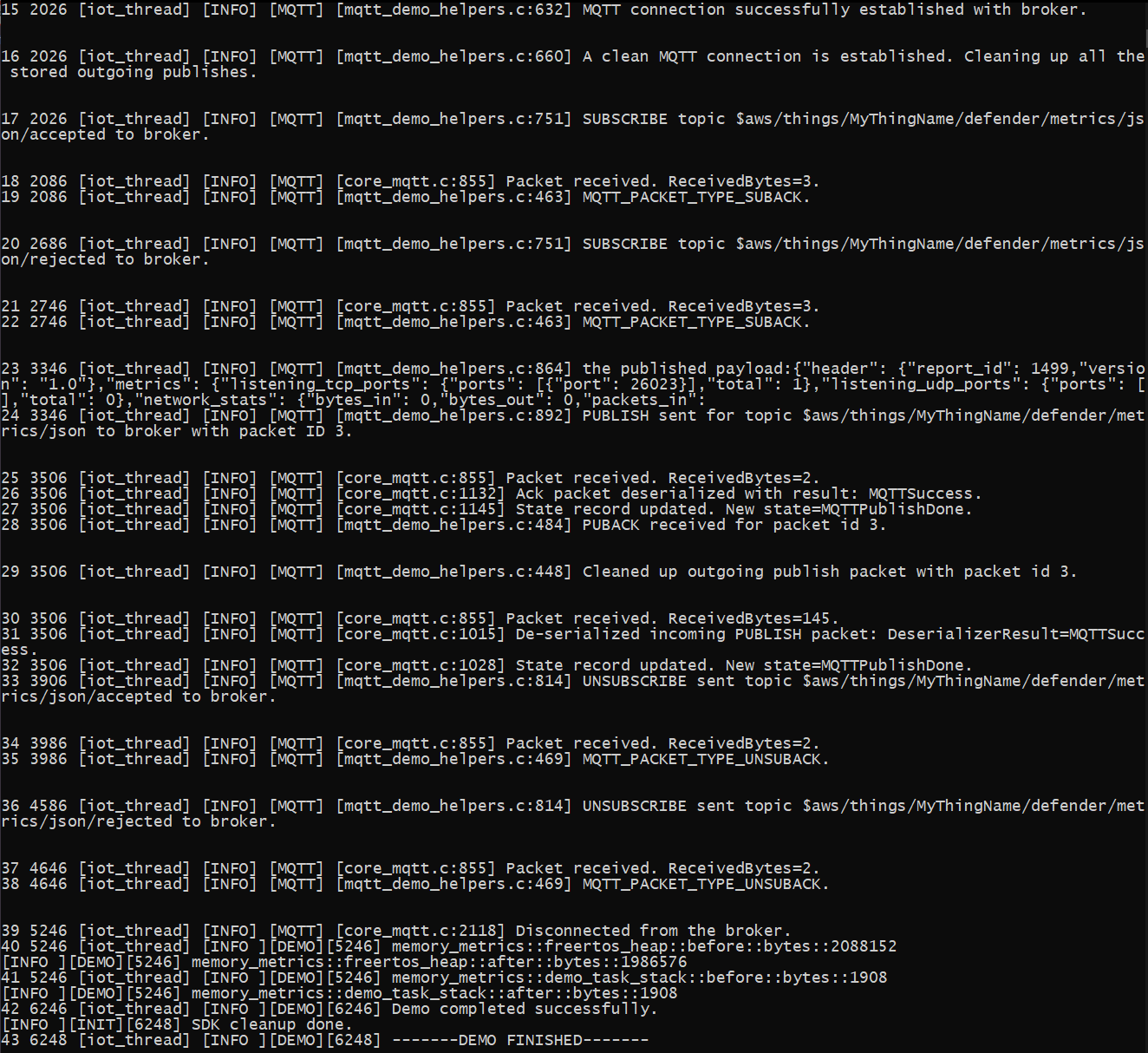
If your board isn't using FreeRTOS+TCP or a supported lwIP configuration, the output will look like the following.
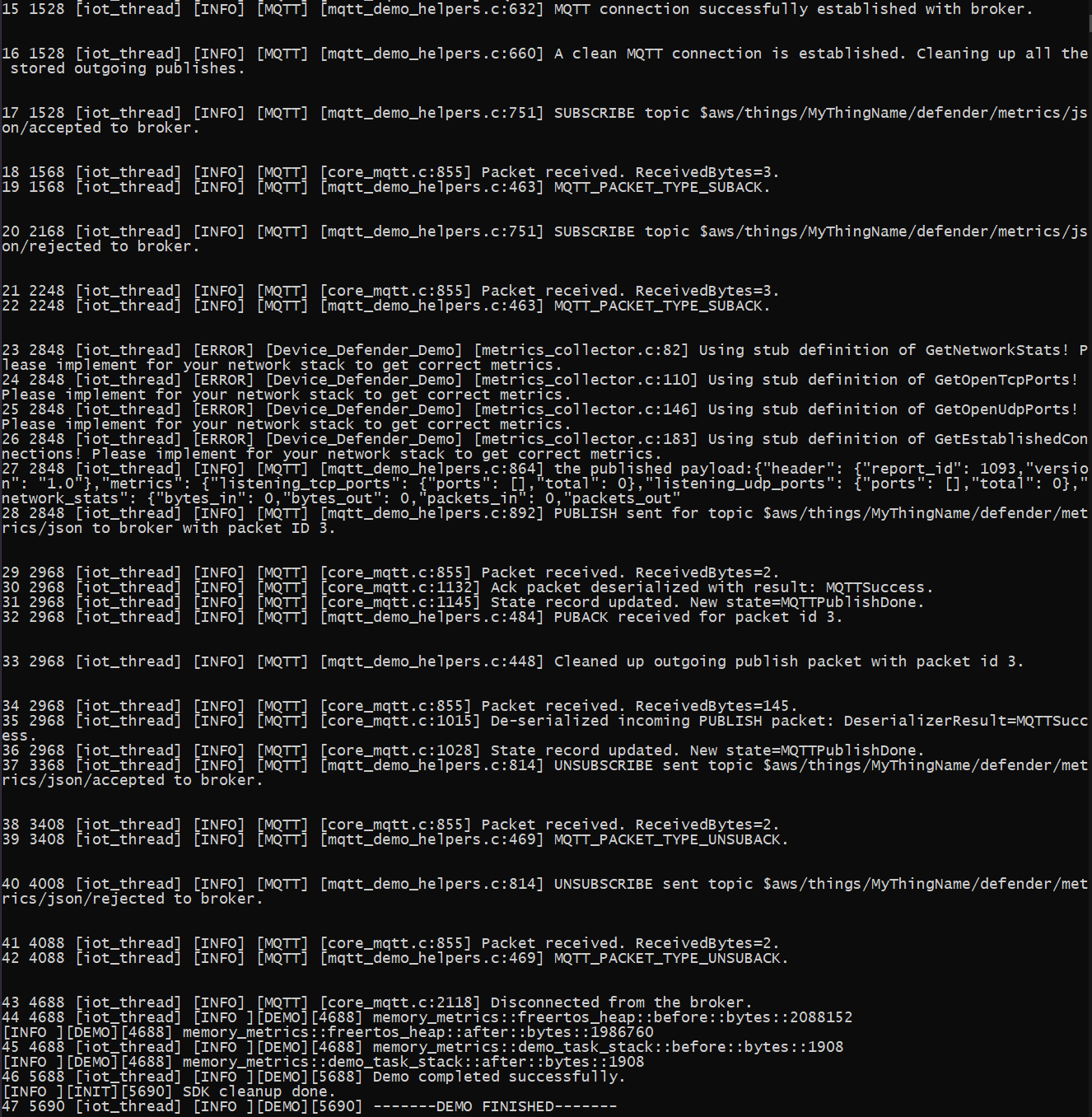
The source code of the demo is in your download in
freertos/demos/device_defender_for_aws/
Subscribing to Amazon IoT Device Defender topics
The
subscribeToDefenderTopicsDEFENDER_API_JSON_ACCEPTED to construct the topic string on which responses for accepted device
defender reports are received. It uses the macro DEFENDER_API_JSON_REJECTED to construct the topic
string on which responses for rejected device defender reports will be received.
Collecting device metrics
The
collectDeviceMetricsmetrics_collector.h. The metrics collected are the number of bytes and packets sent
and received, the open TCP ports, the open UDP ports, and the established TCP connections.
Generating the Amazon IoT Device Defender report
The
generateDeviceMetricsReportreport_builder.h. That function takes the networking metrics and a buffer, creates a JSON
document in the format as expected by Amazon IoT Device Defender and writes it to the provided buffer. The format of the JSON
document expected by Amazon IoT Device Defender is specified in Device-side metrics in the
Amazon IoT Developer Guide.
Publishing the Amazon IoT Device Defender report
The Amazon IoT Device Defender report is published on the MQTT topic for publishing JSON Amazon IoT Device Defender reports. The report is
constructed using the macro DEFENDER_API_JSON_PUBLISH, as shown in this
code snippet
Callback for handling responses
The
publishCallbackDefender_MatchTopic API from the Amazon IoT Device Defender library to check if the incoming MQTT message is from
the Amazon IoT Device Defender service. If the message is from Amazon IoT Device Defender, it parses the received JSON response and extracts the report
ID in the response. The report ID is then verified to be the same as the one sent in the report.