Delete a project
Note
The SiteWise Monitor feature is no longer available to new customers. Existing customers can continue to use the service as normal. For more information, see SiteWise Monitor availability change.
Delete project
-
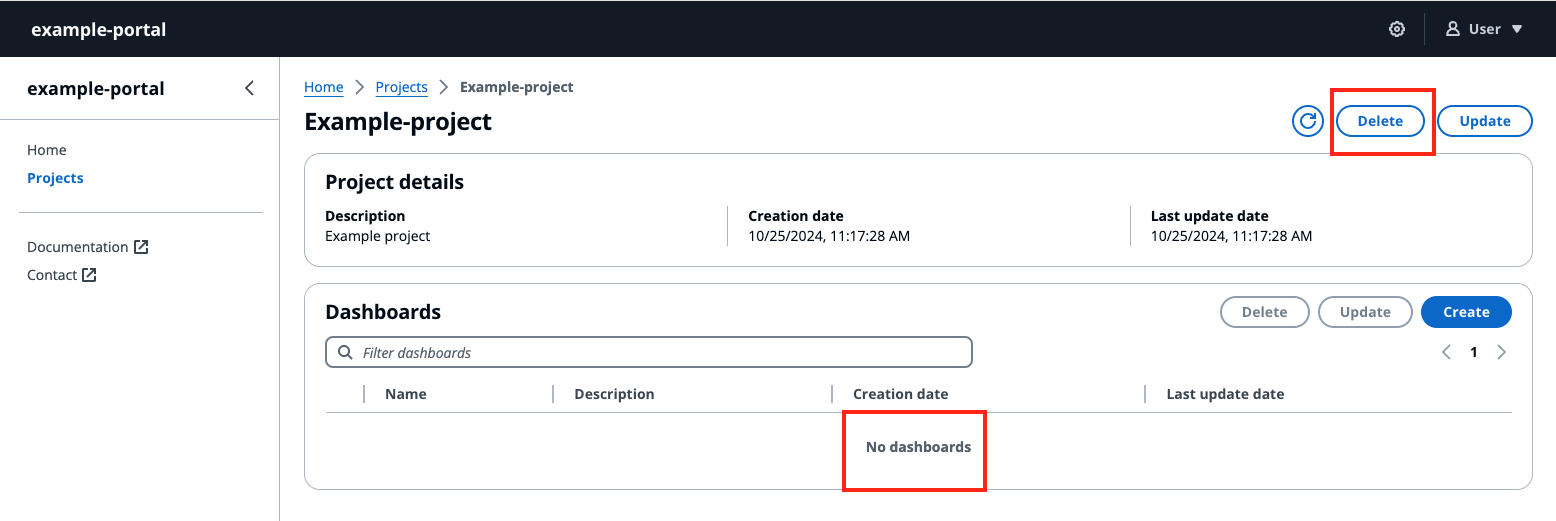
You can only delete the project after all the dashboards in the project are deleted.
-
Select the Delete button on the top right of the Project page.
-
Confirm again that you want to delete the project.
-
Select Delete to delete the project.