Creating Lambda durable functions
To get started with Lambda durable functions, use the Lambda console to create a durable function. In a few minutes, you can create and deploy a durable function that uses steps and waits to demonstrate checkpoint-based execution.
You can also create durable functions using the Amazon CLI or infrastructure as code (IaC).
As you carry out the tutorial, you'll learn fundamental durable function concepts, like how to use the DurableContext object,
create checkpoints with steps, and pause execution with waits. You'll also learn how replay works when your function resumes after a wait.
To keep things simple, this tutorial shows you how to create your function using either the Python or Node.js runtime. With these interpreted languages, you can edit function code directly in the console's built-in code editor.
Note
Durable functions currently support Python, Node.js (JavaScript/TypeScript), and Java runtimes, as well as container images (OCI). For a complete list of supported runtime versions and container image options, see Supported runtimes for durable functions. For more information about using container images with Lambda, see Creating Lambda container images in the Lambda Developer Guide.
Tip
To learn how to build serverless solutions, check out the Serverless Developer Guide.
Create a Lambda durable function with the console
In this example, your durable function processes an order through multiple steps with automatic checkpointing. The function takes a JSON object containing an order ID, validates the order, processes payment, and confirms the order. Each step is automatically checkpointed, so if the function is interrupted, it resumes from the last completed step.
Your function also demonstrates a wait operation, pausing execution for a short period to simulate waiting for external confirmation.
To create a durable function with the console
Open the Functions page
of the Lambda console. -
Choose Create function.
-
Select Author from scratch.
-
In the Basic information pane, for Function name, enter
myDurableFunction -
For Runtime, choose either Node.js 24 or Python 3.14.
-
Select Enable durable execution.
Lambda creates your durable function with an execution role that includes permissions for
checkpoint operations (lambda:CheckpointDurableExecution and lambda:GetDurableExecutionState).
Note
Lambda runtimes include the Durable Execution SDK, so you can test durable functions without packaging dependencies. However, we recommend including the SDK in your deployment package for production. This ensures version consistency and avoids potential runtime updates that might affect your function.
Use the console's built-in code editor to add your durable function code.
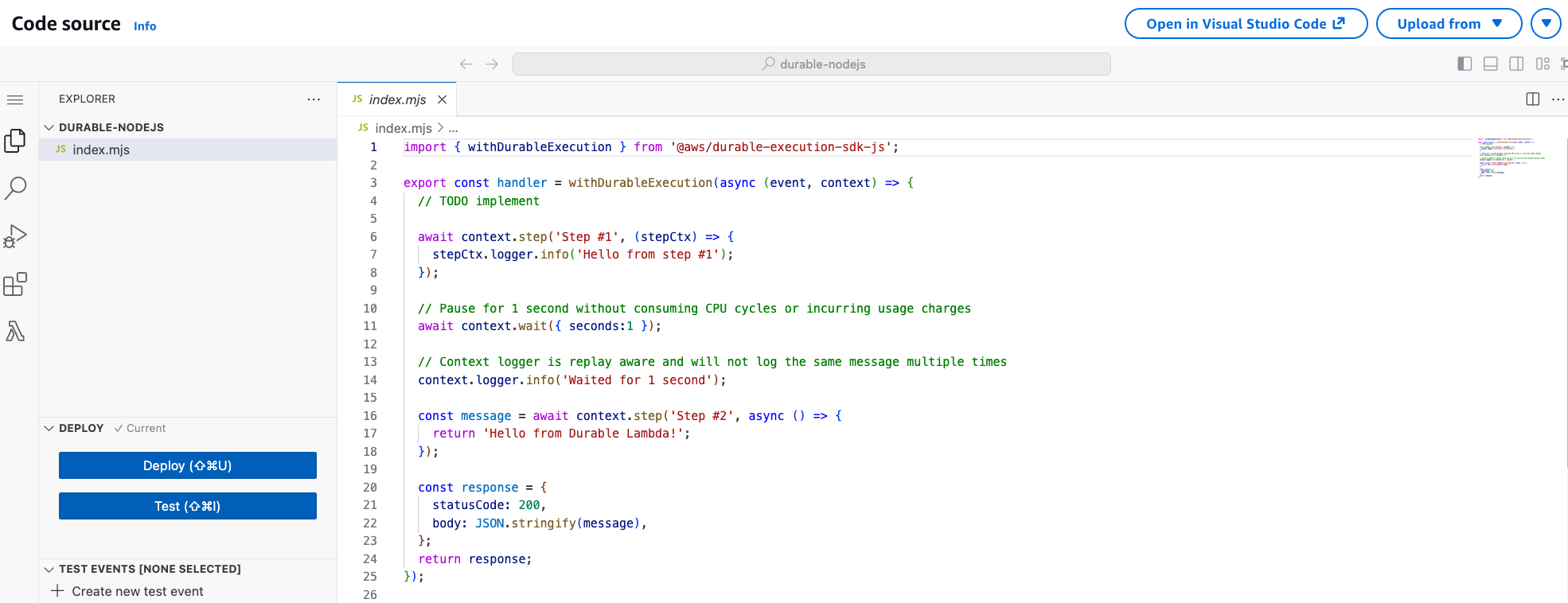
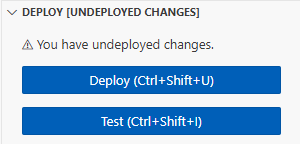
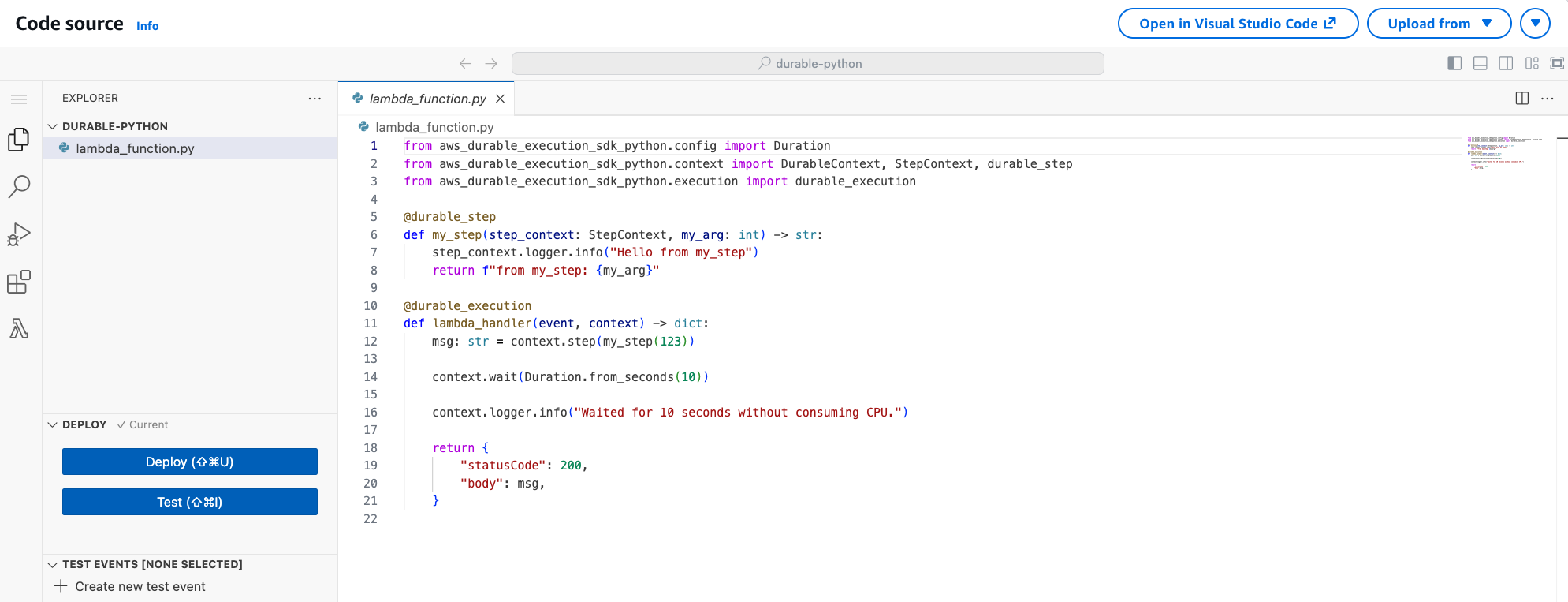
Invoke the durable function using the console code editor
When no explicit version is specified (or published), the console invokes the durable function using the $LATEST version qualifier.
However, for deterministic execution of your code, you must always use a qualified ARN pointing to a stable version.
To publish a version of your function
-
Choose the Versions tab.
-
Choose Publish new version.
-
For Version description, enter
Initial version(optional). -
Choose Publish.
-
Lambda creates version 1 of your function. Note that the function ARN now includes
:1at the end, indicating this is version 1.
Now create a test event to send to your function. The event is a JSON formatted document containing an order ID.
To create the test event
-
In the TEST EVENTS section of the console code editor, choose Create test event.
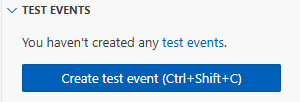
-
For Event Name, enter
myTestEvent. -
In the Event JSON section, replace the default JSON with the following:
{ "orderId": "order-12345" } -
Choose Save.
To test your durable function and view execution
In the TEST EVENTS section of the console code editor, choose the run icon next to your test event:
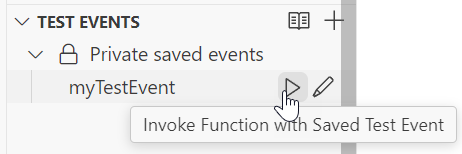
Your durable function starts executing. Because it includes a 10-second wait, the initial invocation completes quickly, and the function resumes after the wait period. You can view the execution progress in the Durable executions tab.
To view your durable function execution
-
Choose the Durable executions tab.
-
Find your execution in the list. The execution shows the current status (Running, Succeeded, or Failed).
-
Choose the execution ID to view details, including:
Execution timeline showing when each step completed
Checkpoint history
Wait periods
Step results
You can also view your function's logs in CloudWatch Logs to see the console output from each step.
To view your function's invocation records in CloudWatch Logs
-
Open the Log groups
page of the CloudWatch console. -
Choose the log group for your function (
/aws/lambda/myDurableFunction). -
Scroll down and choose the Log stream for the function invocations you want to look at.
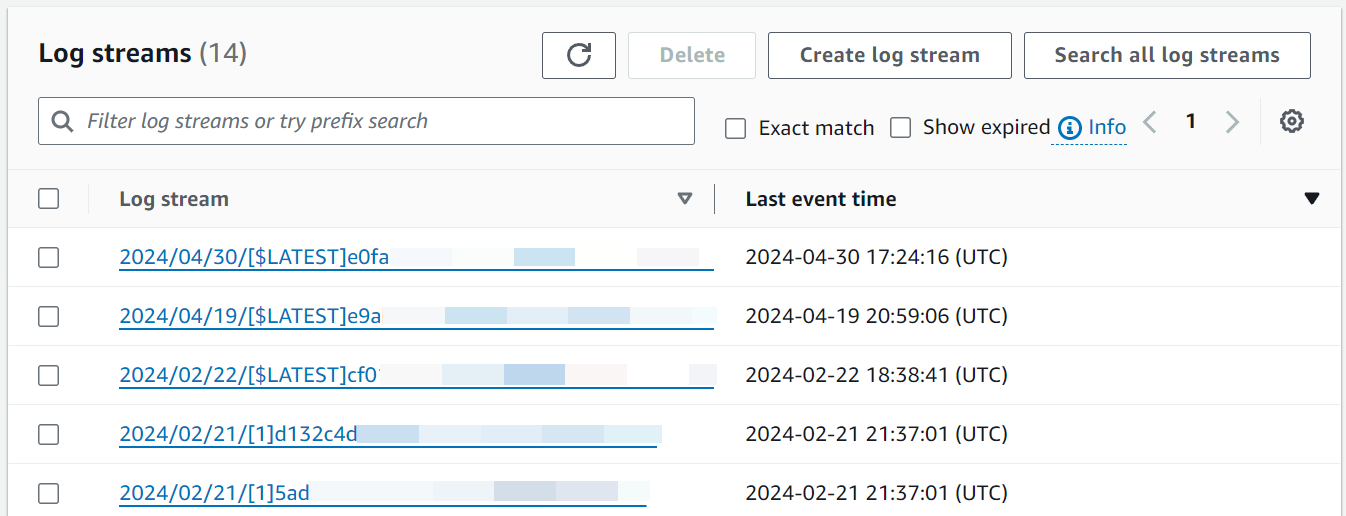
You should see log entries for each invocation of your function, including the initial execution and the replay after the wait.
Note
When you use the logger from the DurableContext (such as context.logger or stepContext.logger), logs also appear in the durable execution and step views in the Lambda console. These logs may take a moment to load.
Clean up
When you're finished working with the example durable function, delete it. You can also delete the log group that stores the function's logs, and the execution role that the console created.
To delete the Lambda function
-
Open the Functions page
of the Lambda console. -
Select the function that you created.
-
Choose Actions, Delete.
-
Type
confirmin the text input field and choose Delete.
To delete the log group
-
Open the Log groups
page of the CloudWatch console. -
Select the function's log group (
/aws/lambda/myDurableFunction). -
Choose Actions, Delete log group(s).
-
In the Delete log group(s) dialog box, choose Delete.
To delete the execution role
-
Open the Roles page
of the Amazon Identity and Access Management (IAM) console. -
Select the function's execution role (for example,
myDurableFunction-role-).31exxmpl -
Choose Delete.
-
In the Delete role dialog box, enter the role name, and then choose Delete.
Additional resources and next steps
Now that you've created and tested a simple durable function using the console, take these next steps:
-
Learn about common use cases for durable functions, including distributed transactions, order processing, and human review workflows. See Examples.
-
Understand how to monitor durable function executions with CloudWatch metrics and execution history. See Monitoring and debugging.
-
Learn about invoking durable functions synchronously and asynchronously, and managing long-running executions. See Invoking durable functions.
-
Follow best practices for writing deterministic code, managing checkpoint sizes, and optimizing costs. See Best practices.
-
Learn how to test durable functions locally and in the cloud. See Testing durable functions.
-
Compare durable functions with Step Functions to understand when each approach is most effective. See Durable functions or Step Functions.