Viewing custom endpoints
To view custom endpoints in the Amazon Web Services Management Console, choose Databases, and then choose the name of your DB cluster. On the Connectivity & security tab, look in the Endpoints section. This section lists the cluster's writer and reader endpoints and any custom endpoints. The Type column identifies custom endpoints. If you haven't created any custom endpoints for the cluster, only the writer and reader endpoints appear. To see the details for a specific custom endpoint, choose its name.
The following screenshot shows how the list of custom endpoints for an Aurora cluster is initially empty.
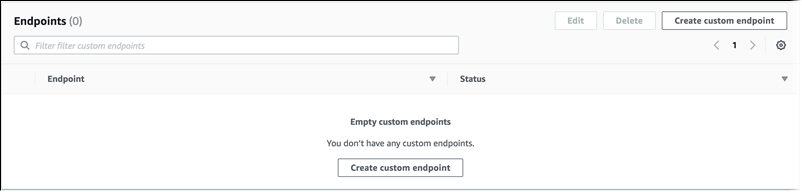
After you create custom endpoints for the cluster, the Endpoints section on the Connectivity & security tab shows them.

The endpoint's detail page shows which DB instances are currently associated with the endpoint.

To see the additional detail of whether new DB instances added to the cluster are automatically added to the endpoint also, open the Edit page for the endpoint.
To view custom endpoints with the Amazon CLI, run the describe-db-cluster-endpoints command.
The following command shows the custom endpoints associated with a specified cluster in a specified region. The output includes both the built-in endpoints and any custom endpoints.
For Linux, macOS, or Unix:
aws rds describe-db-cluster-endpoints --regionregion_name\ --db-cluster-identifiercluster_id
For Windows:
aws rds describe-db-cluster-endpoints --regionregion_name^ --db-cluster-identifiercluster_id
The following shows some sample output from a
describe-db-cluster-endpoints command. The EndpointType of
WRITER or READER denotes the built-in read/write and
read-only endpoints for the cluster. The EndpointType of
CUSTOM denotes endpoints that you create and choose the associated DB
instances. One of the endpoints has a non-empty StaticMembers field,
denoting that it is associated with a precise set of DB instances. The other endpoint
has a non-empty ExcludedMembers field, denoting that the endpoint is
associated with all DB instances other than the ones listed under
ExcludedMembers. This second kind of custom endpoint grows to
accommodate new instances as you add them to the cluster.
{
	"DBClusterEndpoints": [
		{
			"Endpoint": "custom-endpoint-demo.cluster-c7tj4example.ca-central-1.rds.amazonaws.com",
			"Status": "available",
			"DBClusterIdentifier": "custom-endpoint-demo",
			"EndpointType": "WRITER"
		},
		{
			"Endpoint": "custom-endpoint-demo.cluster-ro-c7tj4example.ca-central-1.rds.amazonaws.com",
			"Status": "available",
			"DBClusterIdentifier": "custom-endpoint-demo",
			"EndpointType": "READER"
		},
		{
			"CustomEndpointType": "ANY",
			"DBClusterEndpointIdentifier": "powers-of-2",
			"ExcludedMembers": [],
			"DBClusterIdentifier": "custom-endpoint-demo",
			"Status": "available",
			"EndpointType": "CUSTOM",
			"Endpoint": "powers-of-2.cluster-custom-c7tj4example.ca-central-1.rds.amazonaws.com",
			"StaticMembers": [
					"custom-endpoint-demo-04",
					"custom-endpoint-demo-08",
					"custom-endpoint-demo-01",
					"custom-endpoint-demo-02"
			],
			"DBClusterEndpointResourceIdentifier": "cluster-endpoint-W7PE3TLLFNSHXQKFU6J6NV5FHU",
			"DBClusterEndpointArn": "arn:aws-cn:rds:ca-central-1:111122223333:cluster-endpoint:powers-of-2"
		},
		{
			"CustomEndpointType": "ANY",
			"DBClusterEndpointIdentifier": "eight-and-higher",
			"ExcludedMembers": [
					"custom-endpoint-demo-04",
					"custom-endpoint-demo-02",
					"custom-endpoint-demo-07",
					"custom-endpoint-demo-05",
					"custom-endpoint-demo-03",
					"custom-endpoint-demo-06",
					"custom-endpoint-demo-01"
			],
			"DBClusterIdentifier": "custom-endpoint-demo",
			"Status": "available",
			"EndpointType": "CUSTOM",
			"Endpoint": "eight-and-higher.cluster-custom-123456789012.ca-central-1.rds.amazonaws.com",
			"StaticMembers": [],
			"DBClusterEndpointResourceIdentifier": "cluster-endpoint-W7PE3TLLFNSHYQKFU6J6NV5FHU",
			"DBClusterEndpointArn": "arn:aws-cn:rds:ca-central-1:111122223333:cluster-endpoint:eight-and-higher"
		}
	]
}
To view custom endpoints with the RDS API, run the DescribeDBClusterEndpoints.html operation.