Tagging DynamoDB Streams
Tagging on creation not supported
DynamoDB Streams does not currently support tagging on creation. You can only add tags to existing streams.
You can use the Amazon DynamoDB console, Amazon Command Line Interface (Amazon CLI), or Amazon SDK to manage tags on existing DynamoDB Streams. You can then activate these user-defined tags so that they appear on the Amazon Billing and Cost Management console for cost allocation tracking. For more information, see Using DynamoDB tags to create cost allocation reports.
Topics
Tagging existing streams (Amazon Web Services Management Console)
You can use the DynamoDB console to add, edit, or delete tags for existing streams.
To tag an existing stream (console)
Open the DynamoDB console at
https://console.amazonaws.cn/dynamodb/
-
In the navigation pane, choose Tables.
-
Choose the table whose stream you want to tag.
-
Choose the Exports and streams tab.
-
In the DynamoDB stream details section, choose Manage tags.
-
Add the tags you want and choose Save.
For information about tag structure, see Tagging restrictions in DynamoDB.
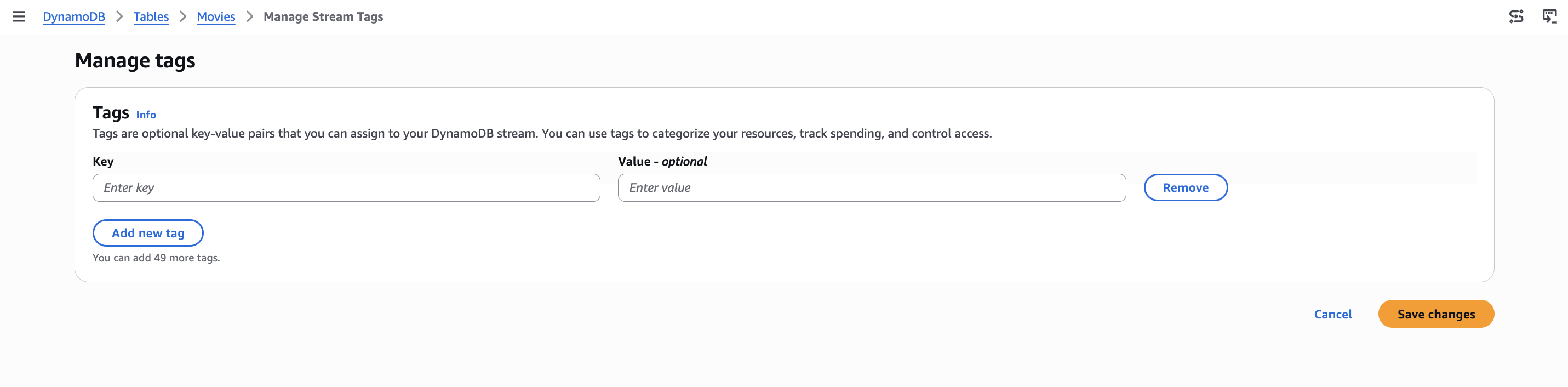
The following screenshot shows the Manage tags page for a DynamoDB stream, where you add key-value tag pairs and then choose Save changes.
Tagging existing streams (Amazon CLI)
The following examples show how to use the Amazon CLI to tag existing streams and list tags for a stream.
To tag an existing stream (Amazon CLI)
-
The following example adds the
Ownertag with a value ofblueTeamto an existing stream on theMoviestable:aws dynamodb tag-resource \ --resource-arn arn:aws:dynamodb:us-east-1:111122223333:table/Movies/stream/2024-01-01T00:00:00.000 \ --tags Key=Owner,Value=blueTeam
To list all tags for a stream (Amazon CLI)
-
The following example lists all the tags that are associated with a stream on the
Moviestable:aws dynamodb list-tags-of-resource \ --resource-arn arn:aws:dynamodb:us-east-1:111122223333:table/Movies/stream/2024-01-01T00:00:00.000